

LogoAIBestTop
icon of Jungle Grid

Jungle Grid

Run AI workloads without choosing GPUs, regions, or providers

Introduction

Jungle Grid is an execution layer for AI workloads and agents.

Instead of manually selecting GPUs, regions, or providers, you simply describe your workload and Jungle Grid runs it.

It automatically classifies jobs (inference, training, batch), selects the optimal GPU, and routes execution across distributed providers based on price, latency, and reliability.

No more:

  • GPU mismatch errors
  • Out-of-memory crashes
  • Provider downtime
  • Manual infrastructure setup

Just define your workload → Jungle Grid executes it.

Built for developers who want to focus on models, not infrastructure.
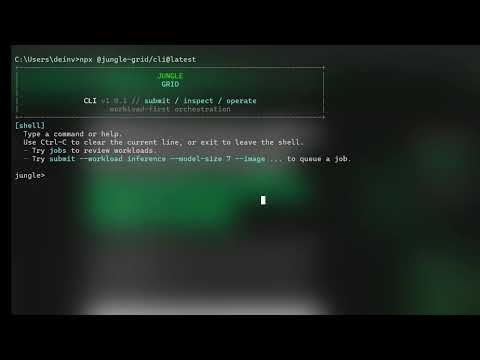
Product Demo

Jungle Grid video thumbnail
Watch the product demo on YouTube

Product Gallery

Product gallery image 1 for Jungle Grid
1 / 3
Click to enlarge

Key Features

9 features
Automatic GPU selection
Distributed workload routing
Failover and retry system
Cost estimation before execution
CLI-based job submission
Real-time job tracking
Multi-provider support
Inference, training, and batch workloads
API-first architecture

Auto-scrolling • Hover to pause

Common Use Cases

  • Running LLM inference workloads
  • Training models without GPU setup
  • Batch processing AI pipelines
  • Running experiments across GPUs

Industry Applications

Artificial IntelligenceSaaS / Developer PlatformsData Science

Limitations to Consider

  • *Early-stage platform with evolving reliability
  • *Limited provider coverage compared to hyperscalers
  • *Advanced customization still in progress

Explore More in Platforms

Discover additional tools and resources in the platforms category

Disclaimer & Important Notice

The information provided about **Jungle Grid** is for general informational purposes only. While we strive to keep the content accurate and up-to-date, we make no representations or warranties of any kind, express or implied, about the completeness, accuracy, reliability, suitability, or availability of the tool, information, or related graphics.

Use at your own risk: AI tools may produce incorrect, misleading, or outdated information. Always verify critical information independently and exercise judgment when using AI-powered services.

Affiliate disclosure: Some links may be affiliate links. If you make a purchase through these links, we may earn a commission at no additional cost to you. This helps support our platform and allows us to continue providing free content.

Last updated: 5/1/2026

How to Get Started

Step 1: Install CLI

Run npx @jungle-grid/cli

Step 2: Login

Authenticate via browser

Step 3: Submit job

Describe your workload and run it

Step 4: Track execution

Monitor logs and job status

Pricing Plans

PlanPriceFeatures
Free$0
  • Access platform
  • basic usage
Pay-as-you-goUsage-based
  • Pay only for compute used

Pros

  • Removes GPU selection complexity
  • Reduces infrastructure overhead
  • Optimizes cost and performance automatically
  • Fast setup via CLI

Cons

  • Still early-stage
  • Limited ecosystem integrations

Frequently Asked Questions

Reviews

No ratings yet.

No reviews yet. Be the first to review.

Reviews are published after moderation.

Last reviewed: Originally published:

This page is regularly updated to ensure accuracy and freshness.

Information

  • Publisher
    Benedict (dejaguarkyng)
  • Websitejunglegrid.dev
  • Published date2026/04/30
  • Last updated

Tags

Filter tools by specific features and use cases

Discover more platforms tools with similar capabilities

Newsletter

Join the Community

Subscribe to our newsletter for the latest news and updates