

LogoAIBestTop
icon of Lacuna

Lacuna

Lacuna turns lyrics, text, or sheet music into full songs with AI vocals, MIDI, and sheet-music tools — built for creators, no musical training required.

Introduction

Lyrics-to-song with AI vocals Text-to-song from natural prompts MIDI generation from text or images Sheet music PDF to playable MIDI Open-source SDK, CLI, and MCP## What is Lacuna?

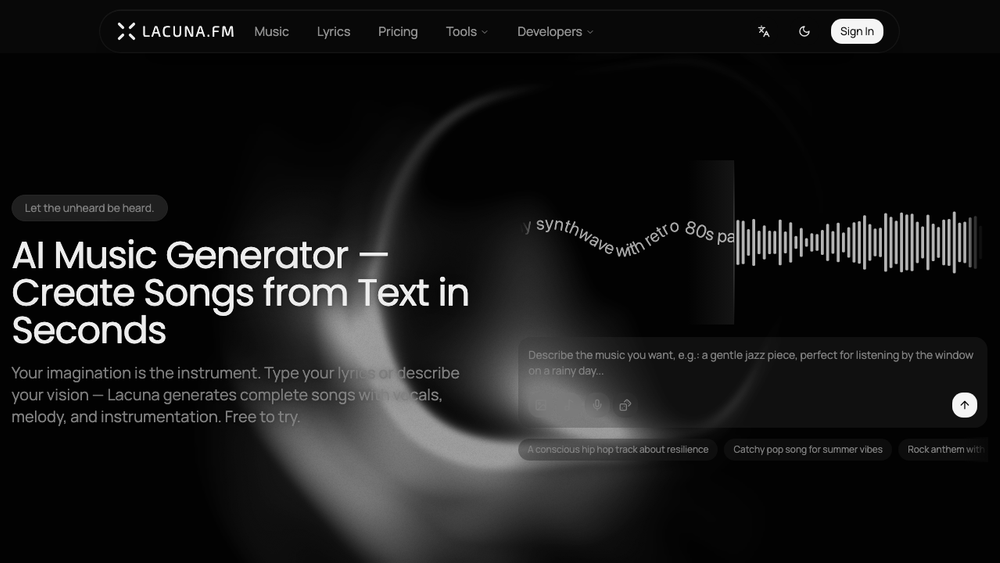
Lacuna is an AI music studio that turns lyrics, text prompts, or sheet music into full songs with vocals. Built for creators, songwriters, and content makers — no musical training required.

Core capabilities
  • Lyrics → Song: Paste your lyrics, pick a style, and get a complete track with AI vocals.
  • Text → Song: Describe a vibe in plain language and Lacuna composes lyrics, melody, and vocals together.
  • MIDI generation: Generate MIDI sequences from text prompts or images, then drop them straight into your DAW.
  • Sheet music → MIDI: Upload a sheet music PDF and convert it to playable MIDI in seconds.
  • Multilingual: 9 languages — English, Simplified & Traditional Chinese, Japanese, Korean, Spanish, French, German, Portuguese.
  • Open SDK: Developers can integrate Lacuna's music generation via the open-source lacuna-toolkit (SDK + CLI + MCP).
Who it's for
  • Songwriters who want to hear a demo before laying it down
  • Content creators producing background music for video and podcasts
  • Educators and students exploring composition without sheet-reading
  • Developers building music features into other apps
Pricing

Freemium. Try without signing up (guest tier), free monthly credits with an account, or unlock commercial licensing with a paid plan.

Product Demo

Lacuna video thumbnail
Watch the product demo on YouTube

Product Gallery

Product gallery image 1 for Lacuna
1 / 4
Click to enlarge

Key Features

10 features
AI vocal generation in multiple styles
Lyrics-to-song generation
Text-to-song generation
MIDI generation from text prompts
Image-to-MIDI generation
Sheet music PDF to MIDI conversion
9-language UI and lyric handling
Guest tier - no sign-up required
Open-source toolkit (SDK + CLI + MCP)
Commercial license on paid plans

Auto-scrolling • Hover to pause

Common Use Cases

  • Turn your lyrics into a demo song with AI vocals
  • Generate royalty-friendly background music for videos
  • Sketch MIDI ideas to drop into your DAW
  • Convert old sheet music PDFs into playable MIDI
  • Explore composition without sheet-reading skills

Industry Applications

Music production and demo workflowsContent creation (video, podcast, social)Music education

Limitations to Consider

  • *Generated audio quality varies by style and prompt
  • *Commercial licensing requires a paid plan
  • *Long orchestral arrangements still need DAW polish

Explore More in Audio Editing

Discover additional tools and resources in the audio editing category

Disclaimer & Important Notice

The information provided about **Lacuna** is for general informational purposes only. While we strive to keep the content accurate and up-to-date, we make no representations or warranties of any kind, express or implied, about the completeness, accuracy, reliability, suitability, or availability of the tool, information, or related graphics.

Use at your own risk: AI tools may produce incorrect, misleading, or outdated information. Always verify critical information independently and exercise judgment when using AI-powered services.

Affiliate disclosure: Some links may be affiliate links. If you make a purchase through these links, we may earn a commission at no additional cost to you. This helps support our platform and allows us to continue providing free content.

Last updated: 6/10/2026

How to Get Started

Step 1: Open the studio

Visit lacuna.fm and click Music to enter the AI studio.

Step 2: Choose your input

Paste lyrics, write a text prompt, or upload sheet music.

Step 3: Generate

Pick a style and hit Generate - Lacuna composes vocals, melody, and instrumentation.

Step 4: Refine and export

Iterate on the prompt or lyrics, then download audio or MIDI.

Pricing Plans

PlanPriceFeatures
GuestFree
  • 1 free use
  • no sign-up required
Free$0/month
  • Free monthly credits
  • personal use
BasicPaid
  • More monthly credits
  • commercial license
ProPaid
  • Higher quota
  • priority generation
  • commercial license

Pros

  • Multi-modal inputs: lyrics, text, image, and sheet music
  • No musical training required
  • Guest tier lets you try without signing up
  • Open SDK for developer integrations
  • 9-language support

Cons

  • Audio quality varies with style and prompt
  • Commercial use requires a paid plan
  • Best results often need prompt iteration

Frequently Asked Questions

Reviews

No ratings yet.

No reviews yet. Be the first to review.

Reviews are published after moderation.

Last reviewed: Originally published:

This page is regularly updated to ensure accuracy and freshness.

Information

  • Publisher
    Louis Tsang
  • Websitewww.lacuna.fm
  • Published date2026/05/22
  • Last updated

About the Founder

Categories

Browse related tools in the same category

Tags

Filter tools by specific features and use cases

Discover more audio editing tools with similar capabilities

Newsletter

Join the Community

Subscribe to our newsletter for the latest news and updates