
LogoAIBestTop
icon of Sora AI Video Generator

Sora AI Video Generator

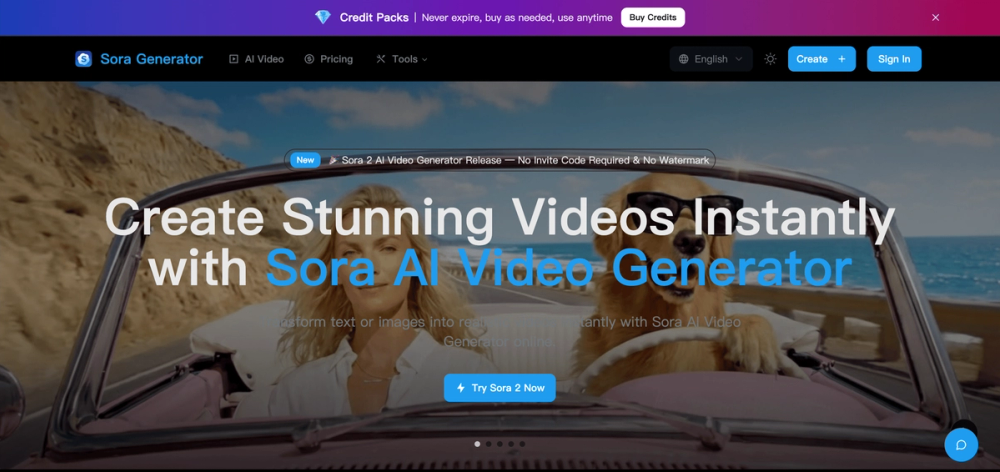
Create cinematic videos from text & images in minutes with Sora AI Video Generator, no invite code required, ready for download and commercial use.

Introduction

SoraGenerator.org is an online AI video generation platform that enables creators to produce cinematic videos from text prompts or images using advanced Sora-style video models.

It is designed for content creators, marketers, designers, filmmakers, and developers who want to turn ideas into high-quality videos quickly, without installing complex software or dealing with long rendering pipelines.

Core Features
🎬 Text to Video

Generate realistic, cinematic video clips directly from natural language prompts using state-of-the-art AI video models.

🖼 Image to Video

Animate still images into dynamic video sequences with smooth motion, lighting, and camera movement.

🧩 Sora 2 Storyboard

Plan and visualize multi-scene videos with shot-level control. Define camera angles, timing, transitions, and scene structure, then generate animatics and final videos from a structured storyboard workflow.
👉 https://soragenerator.org/sora-2-storyboard

✍️ Sora 2 Prompt Generator

Create optimized, structured prompts specifically designed for Sora-style models to achieve higher visual quality and better control over scenes, camera, and style.
👉 https://soragenerator.org/sora-2-prompt-generator

🚫 Watermark Removal

Export clean, professional videos without watermarks, suitable for commercial use, branding, and social media publishing.

🤖 Multiple AI Models

Access and compare different AI video generation models from a single unified interface.

☁️ Cloud-Based & Fast

No installation required. Everything runs in the browser with fast cloud rendering.

💳 Flexible Credit System

Usage-based pricing so you only pay for what you generate.

Use Cases
  • Social media content (TikTok, YouTube Shorts, Instagram Reels)
  • Marketing and advertising videos
  • Game trailers and concept visualization
  • Story-driven short films and storytelling
  • Product demos and promotional videos

SoraGenerator.org focuses on speed, quality, and creative control, providing an all-in-one solution for AI video generation, professional prompt engineering, storyboard-based video planning, and watermark-free exporting in a clean and easy-to-use web platform.

Official website: https://soragenerator.org

Product Gallery

Product gallery image 1 for Sora AI Video Generator
1 / 3
Click to enlarge

Key Features

10 features
Text-to-video generation
Image-to-video generation
Sora 2 model
Sora 2 Pro model
Customizable resolution
Customizable aspect ratio
No invite code required
Commercial use license
Sample video previews
Step-by-step guide

Auto-scrolling • Hover to pause

Common Use Cases

  • Creating marketing videos from text prompts
  • Generating social media content from images
  • Producing explainer videos for products or services
  • Creating animated stories or short films
  • Generating video content for educational purposes

Industry Applications

Marketing and AdvertisingEducation

Limitations to Consider

  • *Requires credits to generate videos
  • *Video quality depends on the chosen model and prompt
  • *May require experimentation to achieve desired results

Explore More in Video Editing

Discover additional tools and resources in the video editing category

Disclaimer & Important Notice

The information provided about **Sora AI Video Generator** is for general informational purposes only. While we strive to keep the content accurate and up-to-date, we make no representations or warranties of any kind, express or implied, about the completeness, accuracy, reliability, suitability, or availability of the tool, information, or related graphics.

Use at your own risk: AI tools may produce incorrect, misleading, or outdated information. Always verify critical information independently and exercise judgment when using AI-powered services.

Affiliate disclosure: Some links may be affiliate links. If you make a purchase through these links, we may earn a commission at no additional cost to you. This helps support our platform and allows us to continue providing free content.

Last updated: 1/19/2026

How to Get Started

Step 1: Describe Your Idea

Type a short text prompt or upload an image to describe the video you want to create.

Step 2: Generate Your Video

Click 'Create' and let the AI bring your vision to life with smooth motion, realistic details, and synchronized sound.

Step 3: Download & Share

Preview your result, select HD quality, and export your video online. There's no watermark and no app install required.

Pricing Plans

PlanPriceFeatures
Contact for PricingCustomContact for details

Pros

  • Easy to use interface
  • No invite code required
  • Commercial use license
  • Generates videos from text and images
  • Offers different models for varying quality

Cons

  • Requires credits to generate videos
  • Video quality depends on the chosen model and prompt
  • Limited customization options

Frequently Asked Questions

Reviews

No ratings yet.

No reviews yet. Be the first to review.

Reviews are published after moderation.

Last reviewed: Originally published:

This page is regularly updated to ensure accuracy and freshness.

Information

  • Publisher
    GeekGallifrey
  • Websitesoragenerator.org
  • Published date2026/01/18
  • Last updated

About the Founder

Founder

Founder

Categories

Browse related tools in the same category

Tags

Filter tools by specific features and use cases

Explore similar tools that might offer different features or pricing

Discover more video editing tools with similar capabilities

Newsletter

Join the Community

Subscribe to our newsletter for the latest news and updates